Writing code is a tedious process as it involves many conditions. Often the programmers miss out scenarios which can result in bugs (rainy day scenarios). Another common scenario missed out is optimizing the code for space and time complexity (efficiency). The programmers will be busy trying to address the problem at hand and many a times they miss on optimizing.
When we have Peer code reviews, this can be improved. Having few issues with the code is fine but not having code reviews is not acceptable in any software development team.
Static Code Analysis
In simple terms this method is to assess the behavior of the code by performing lexical, syntax analysis as well as other advanced means. Control flow & Data flow analysis are also performed. Findbugs for Java is to a well established example.
Security considerations are one of the major aspects that static code analysis often targets. OWASP wiki entry on static code analysis is an excellent starting point to learn more.
Linting
Some of the basic static code analyzers are called Linters. Though there is no hard and fast rule to call a certain code analyzer as linting tool I think its safe to assume that the coding standard checkers can be called as a linting tool. The term is originated from a static code analyzer called “Lint”.
Code Review tools
The process of code review is quite tedious and as the complexity of the project increases, this gets tougher. There are numerous tools that helps developers to conduct effective code reviews. With the advent of Continuous Integration, its lot more easier to incorporate code review in an automated fashion. Once the automatic code review is done, its essential to report the issues in a easily addressable way.
New generation Project management and Source Control Management Software like Gitlab integrates automation of the review, CI and CD in an innovative manner.
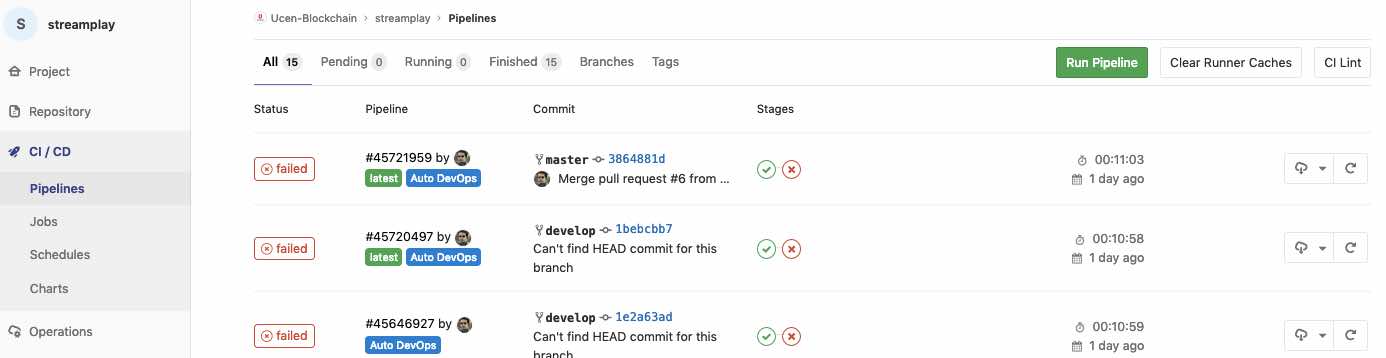
A Gitlab repository which is a CI + CD back end for a Github project.
In addition to the modern all-in-one platforms, there are obviously tools like Reviewboard and others which is focused on the code review alone.
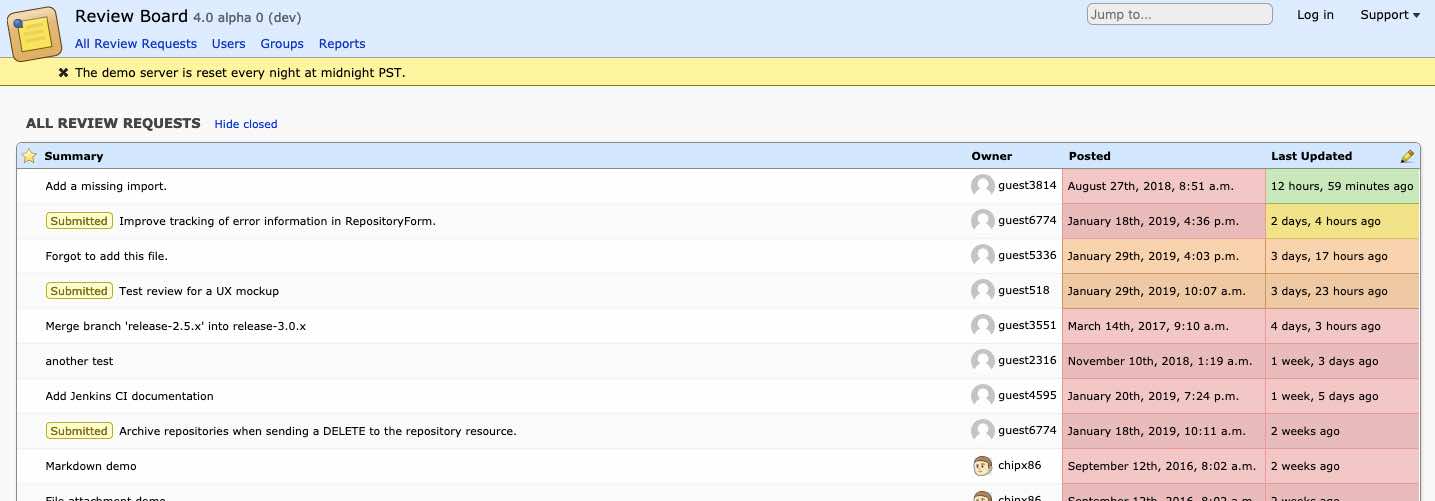
Review Board an excellent, dedicated code review tool.
Phabricator
Meet Phabricator – an excellent project management & source code management platform. The platform has a powerful CLI interface which makes it the swiss army knife of Software Development Process.
Well, I have not heard about it, who uses it ?
Honestly this is the most frequent comment I have heard about Phabricator. So here is a list of users:
Wikimedia Foundation – yea, that small website guys!
Facebook
Asana.com
Blender (https://developer.blender.org/)
KDE
then of-course, yours faithfully!
I rest my case.
In my opinion, Phabricator is the best project management and source hosting platform existing with its unique code review features, CLI tools etc. When it comes to CI and CD, phabricator is not the best and with tools like Gitlab and we just have to mirror Phabricator hosted repository and take care of the CI and CD. Needless to say, Phabricator also supports Subversion and Mercurial. Since they provide a powerful programmable API, it may be even possible to integrate with other code management solutions like Preforce.
Arcanist
This section is about arcanist & is intended for users who are new to it or know about it but haven’t set it up anytime.
Arcanist aka arc is the command line tool which is provided by Phabricator to help with code reviews, merging etc. In a nutshell, we can raise a code review, with pre-defined static code analysis and rules using this powerful tool.
There are four sections of this article:
What is it?
Which features can we use?
Why should we bother?
Quick start guide
What is it ? Arcanist basically works on top of tools like Git, Differential, Linter etc and provides command line interface to them. It is a code review and revision management utility.
Which features can we use ?
lint
diff
land
anoid
Why Should we bother ?
Lint: Wouldn’t it be nice if someone could look into your code and point out syntax errors, wrong use of constructs, use of undeclared variable and many more ? It turns out that there are tools which do this exact work and are referred to as Lint. It also simplifies code review process for the reviewer as well as the author
Diff: Working on a project and not sure whether the changes made are ready to be pushed? This is where diff comes into play. If using Git, arc diff sends all commits in a range for review. By default, this range is
git merge-base origin/master HEAD..HEAD
Land: If the review raised through gets accepted, then we use arc land to publish the changes.
Quick Start Guide
Supported on: Linux, Mac OS X, Windows, FreeBSD & there is a quick way to setup anywhere with NixOS.
The one liner install on macOS and Linuxes using the awesome Nix package manager :
Try typing ‘arc’, if it shows usage exception, then we are good so far.
To set up tab completion add the following to you PATH environment variable source /path/to/arcanist/resources/shell/bash-completion Example:- source /home/user/phabricator/arcanist/resources/shell/bash-completion
Configuring arc for a project :
This section assumes that you have a Phabricator installation at https://phabricator.steem.io
Goto project directory
Create a file with name ‘.arcconfig’ (without quotes)
Paste the following in the file. {"phabricator.uri" : "https://phabricator.steem.io"}
Run arc install-certificate and follow the instructions.
The commands could be used in this sequence:
arc lint –> arc diff –> arc land
arc lint
Setting up lint :
1. Create a file with name ‘.arclint’ in project directory 2. Detailed documentation for setting up .arclint can be found here.
Example of .arclint file:-
{
“linters”: {
“lint”: {
“type”: “pep8”,
“include”: “(\.py$)”
}
}
}
“lint” –> this is a custom name given by you, it doesn’t affect anything.
“type” –> to specify the linter we would like to use.
“include” –> regex for the format of files to lint.
“exclude” –> can be used to exclude files matching include tag in specific directories.
arc diff
First time while using this command, it will ask for access token which can be obtained by following the instructions.
Specify Test plan, reviewers and proceed.
A review request can be updated any number of times before it has been reviewed or separate reviews can be raised using arc diff –create arc land Once a review gets accepted, the changes can be published using this command. It is the last step in the standard Differential pre-publish code review workflow. arc anoid
Extended read: arc tasks, arc browse.
Encouragement
The Phabricator command line tooling sounds little weird when we first read the documentation. But once you setup, which is very fast if you follow the documentation as it is, its very powerful. The tools are written in PHP7.X and don’t be concerned, its blazing fast. I have been extensively using it, even to review documents. ie, instead of Google Doc, Tracking via Mircorsoft word’s tracking etc.
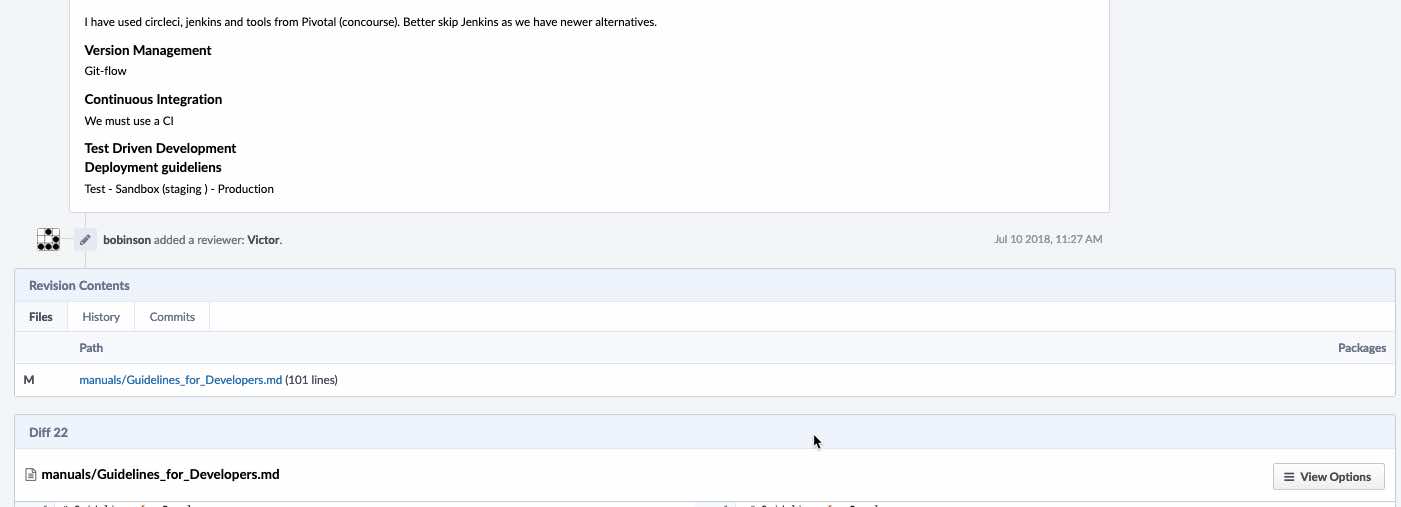
A sample document under review.
Summary
As already mentioned, test-driven, peer-reviewed code is the only acceptable way to develop software. Code review tools like Phabricator’s inbuilt tools are highly recommended irrespective of the tooling, language that a developer is using.
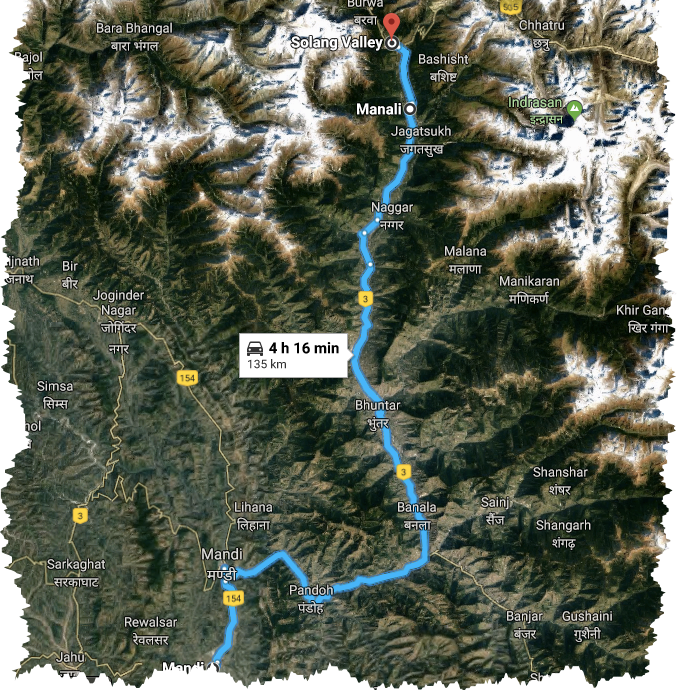
From December 26th 2018 to January 4th 2019 we were traveling and the general destination was Himachal Pradesh. The Northern, mountainous state of India.
https://cdn.steemitimages.com/DQmUudGrSQYMmZdissJ9wuuoWuV4X1PZEkxYugByqX1nBZ8/image.png
Due to certain training my cousin had to attend, 4 of us travelled to New Delhi First and from there to a small city in Himachal Pradesh called Mandi.
https://cdn.steemitimages.com/DQmdUscEaoT4QfTcATXRDkRT8dsGzYCZKoLFJDKHXQbe6n8/image.png
Mandi is 850 m (2,790 ft) above Mean Sea Level and for us who are traveling from “the sea Level” itself, this provided a good 1 day halt for acclimatization and rest.
(Beas River, Mandi, Himachal Pradesh, India)
Our original plan was to travel to Tirthan Valley from Mandi. But my cousin and family wanted to see snow and @firepower suggested Solang Valley as the right place. Myself was not very particular about the location and @firepower’s suggestion turned out to be very good as everyone seemed to be heading there and every weather prediction service showed snow during the time we were there.
Solang Valley
The Solang village which near Manali is where the Beas River flowing through a valley forms the valley of adventure sports – The Solang Valley. Its unbelieving crowded for a small village. One can find few hundred shops renting snow equipment, mountain bikes (ATB), couple of hundred ponys and a charade of vehicles.
As we neared Manali endless traffic block started appearing and we crawled and crossed Manali in few hours. The temperature had dropped to probably 3 or 4 degree Celcius. We had hotel booked in advance through an online service called MakeMyTrip.com & I had tried to confirm our arrival delay via SMS. There was no response from the hotel and considering it as a bad sign and seeing the unprecedented traffic I finally called the hotel. The person at the hotel was somewhere with loud music and all I could comprehend was the rooms are ready.
The adventure begins
Few minutes later, I got a call back from the hotel. The call was not audible but I felt something wrong. Tried again and after many tries the call was audible and the hotel person lazily explained that the rooms are sold out. I tried to explain I had updated them in the morning and I have a receipt from MakeMyTrip. At this point the hotel proprietor said, if we had booked the ticket through MakeMyTrip, talk to them and not to the hotel. I politely asked him to please try to talk to MakeMytrip – the hotel person wanted us to stop or go-back to Manali & take accommodation in a stay in Manali.
So, everything was crystal clear. We had booked at the hotel quite early at a nominal (yes, very nominal rate). And here we were on the Christmas – New Year season where the rates can be anything. People were probably trying to optimize their occupancy.
We never found out whose mistake it was. We only knew that we had not done anything wrong.
Sensing trouble, I asked my wife who was not traveling with me to call MakeMyTrip & arrange a call back. Simultaneously I called MakeMyTrip.com from another phone. So, after few minutes, I managed to explain the MakeMytrip representative what is going on. He agreed to check with the hotel and call back. He took the booking ID and other relevant details. So, I waited for the call back. Few minutes later the first call back arrived from MakeMyTrip & they explained, there is nothing to worry and I just have to go there and check-in the hotel. Few minutes into the conversation, the second call back arrived. The representative bluntly explained that the hotel is sold out ! So I asked him what happened to the booking we did – to which again he said, the hotel is sold out. All this while, I had the other MakeMyTrip executive on the different phone explaining that everything is in order.
Travels are one of the best teachers who gives us lessons which no one else can give
I must say, it was fun to put the executives on speaker and tell them that the calls are on recording and they are contradicting each other. This was my turn to wear the cold and bruteless hat, thus I said, “MakeMyTrip.com has offered us the hotel booking and we are now standing in near zero temperatures. We don’t have the rooms and 4 lives are in the hands of MakeMyTrip”. The representatives both agreed to help out.
Rest of the few kilometers we sat down and relaxed.
The hotel
We reached Solang Valley and entered the hotel where we had our rooms booked. The person at the reception promptly received us and he was looking into the booking details. Few moments later the owner of the hotel came and he was looking at the details as well as if nothing happened. Then, he asked in whose name the booking is – this time, I had to give the booking details. We looked at each other & with after considerable delay the hotel owner said, we spoke little while ago. I said, Yes we did. After he explaining that the rooms are sold out, I told them to talk to the online portal whose booking software had auto-magically sent me booking confirmation.
## Failed Startups helps Entrepreneurs!
This is something I realized just now while I was writing this. It so happned that I was fortunate or unfortunate to start mybusticket.com few years before a popular Indian bus ticketing service called RedBus.in and then loosing out to them. I also had adventures into travel by the name of Routez.Travel. While we waited for the call back, I was thinking about how travel industry worked, about those APIs and services which makes hotel bookings, flight bookings etc possible. Thanks to RECCAA.Club, I knew about hospitality management software as well.
The much awaited call back from MakeMytrip arrived and I must mention that the executive was professional and one of the most proactive customer care executives I have ever came across.
So, we talked about travel industry, travel booking software, acquisitions done by GoIbibo, acquisitions done by MakeMyTrip and pretty much everything about travel industry other than flight bookings!
The executive explained to me that he will try his level best to arrange a hotel either at this one or elsewhere. I handed over the phone to the the hotel owner and this time the discussions were about GoIbibo-MMT panel and “Nancy” & many other irrelevant things. The phone was back to me and I clearly said, the life of 4 of us is with MakeMyTrip. Both the hotel and the MakeMyTrip representative requested to wait for 15 minutes.
The hotel owner offered us tea & showed us 2 rooms which by then got “cancelled”. The tea was a life saver as the cold and walking on crystallized snow had started impacting me. The MakeMyTrip representative had kept his word and called back and explained a nearby hotel which was perhaps the best in the Valley. He explained even the minute details and left the decision to me. I asked him to talk to my hotel owner once again and see whether the newly appeared rooms can be arranged. As this is normal incident in touristy areas, I just wanted to play along than make a scene. The hotel owner wanted 3 times the normal price from MakeMyTrip. To my surprise, the MakeMyTrip owned the situation and offered to do anything as per my wish. I asked for the MakeMyTrip’s representative & decided to go with the hotel he suggested. He went ahead and make all the required arrangements.
When we finally walked in to the hotel that MakeMyTrip had arranged, we were surprised to find a Swiss cottage which costed 5 times our original room. The manager at “Sky one Ski” Mr Hemanth welcomed us as if to his own home & made us comfortable.
The adventure was not over!
The online Portal MakeMyTrip and its executives had done and excellent job to serve us. But our dear friend at the hotel directed to the wrong location when asked about the new location. My physical state due to the extreme weather had clouded my thinking and instead of cross checking the new hotel location we decided to walk there. Due to the confusions, we walked close to 1 km in the chilling cold over the slippery ice and reached the hotel. There was no power anywhere and after a while we realized that our “hotel” guy had sent us to a different hotel with similar name. Helpless, we walked back and found “Sky one Ski” with the help of helpful localities. Our driver was very helpful as sympathetic as well.
The Swiss Tent
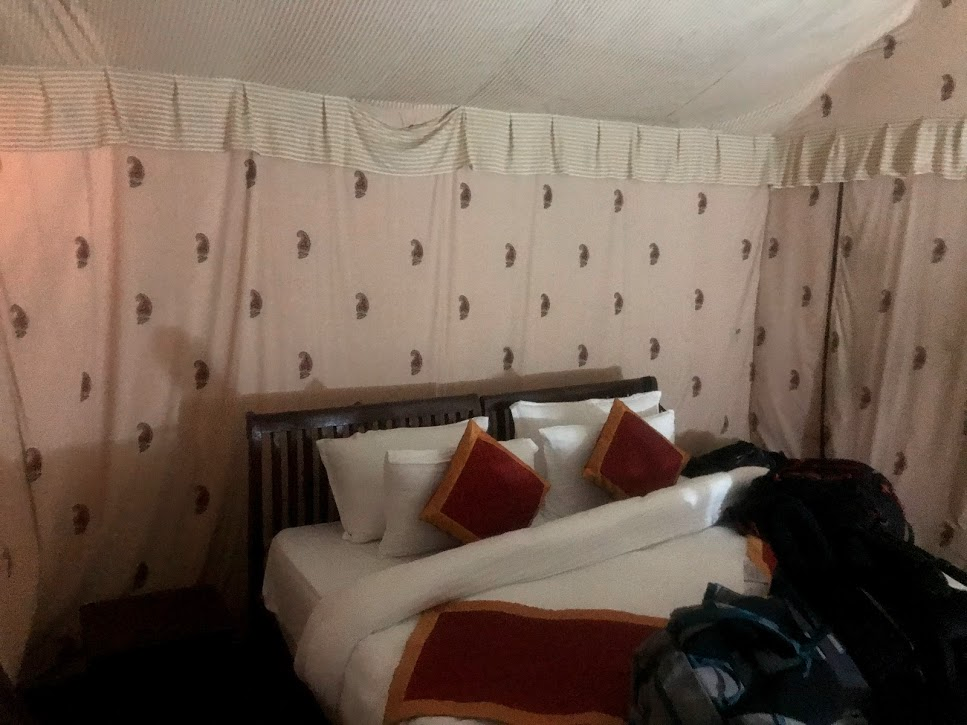
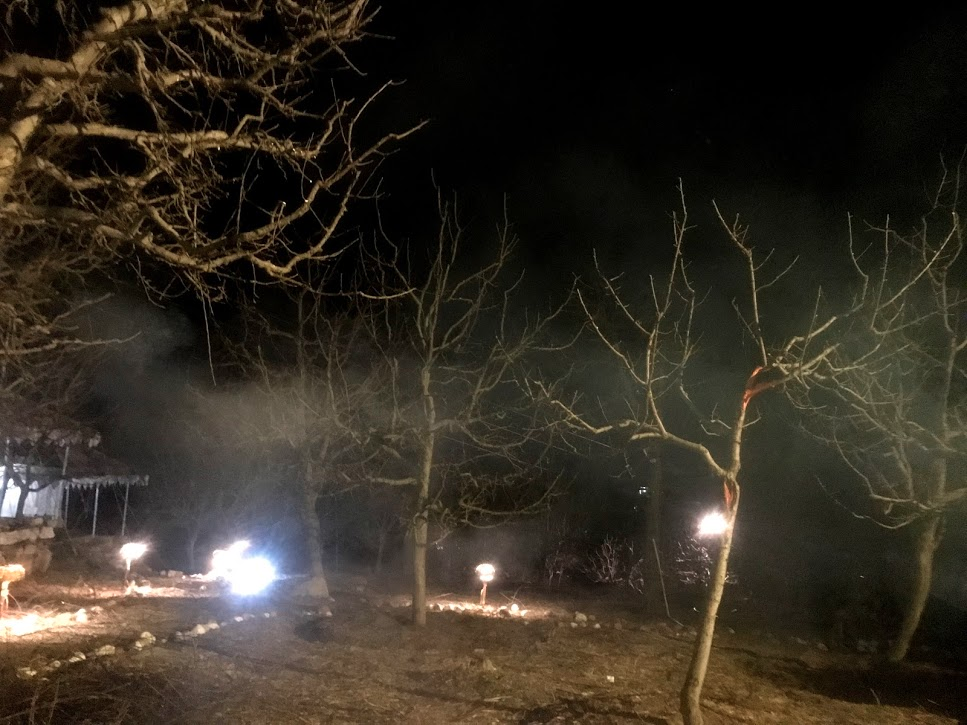
Sky one Ski has marvelous facilities and well equipped Swiss Tents. The property is tucked inside an apple orchard.
(Inside the Beautiful Tent)
(The Apple Orchad)
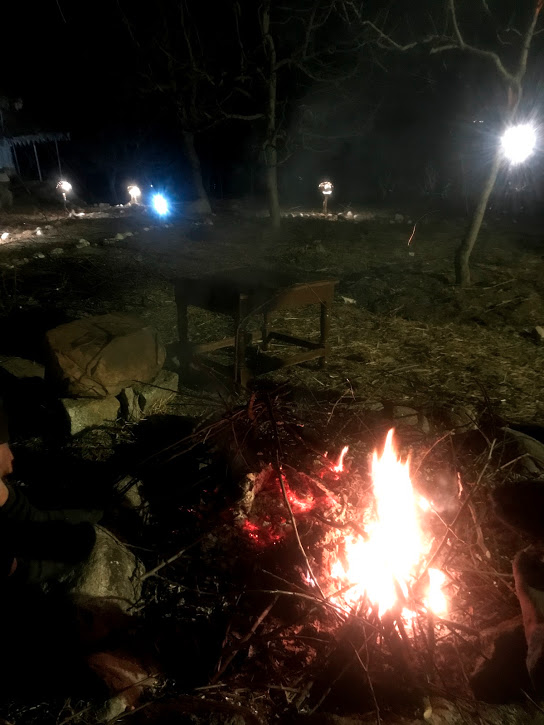
While we had the most luxurious hotel – thanks to the travel operator – power and the climate was not the best. Unfortunately there was no power and we had only 1 tent instead of 2 rooms. We had a bunch of candles which we used to heat the tent and tucked inside the blankets (Duet) with our 3 layer clothing, jackets and gloves. The altitude though it was only 10,000 feet (3000 meters), was acting on us, the weather by then – 10 degrees presented us with a chilling experience. Thanks to the hotel guy who gave priority to few pennies over the well being of guests, there we were sleeping under the sky, in a luxurious Swiss Tent, separated from the freezing weather by 2 layers of cloth and 3 Candles.
Thanks to MakeMyTrip and the extremely helpful staff at “Sky one Ski” we woke up to another morning alive and tell this story.
(inside the swiss tent – Sky one Ski)
(The beautiful view at the morning – thanks to Mr Sivankar of MakeMyTrip.com, Mr Hemanth of Sky one Ski & Our Driver, Mr Vinod. You guys are one of the best professionals I have met & wishing you all the very best)
From Jellikkettu, bull run/fight, 2012, Tamilnadu, India
Somehow this photo I happen to take few years ago depicts the current crytpo currency markets. I find it ironic that the bull is surging here though people say its a bear market.
The reality is that, people will gets crushed underneath even once the bull lands on the ground.
Jallikattu, aka the sport of taming the bull for a price money seemed to be our way to defeat nature, tame the beasts of uncertainty and celebrate all the good things of humanity – courage, commitment, patience valor. And yes, if one doesn’t celebrate life it does invite the wrath of Gods. We used to celebrate and had Jelikattu among many other things. Thus it happened for a thousand years. Or from the days we walked on two legs. But, somewhere we lost the balance and what we see today is a fight for survival, the fighters don’t show valor, the bulls doesn’t feel it, they are scared. Chained and in the shadows of uncertainty, on a path nowhere both man and beast, past and the nothingness of future fights here within the double barricades. Both men and beast looses. Nothingness wins. inevitability. period.
Somehow I find lot of people interested in product ideas end up meeting me and the ideas often surprise me either with the uniqueness or lack of it. The lack of skills and the reluctance of pick it up seems to be common trait in most of the cases. But then some people understand it and try finding mentor’s and succeed. Perhaps this will be a good idea to share some of the thoughts from personal experience.
Find a niche
I think this is one of the important aspects of succeeding with a startup idea in any area. But care must be taken to make sure that the niche will grow enough to provide the return to sustain the idea (product or service whatever the idea is). The second point it should be possible to generate enough revenue to keep going.
There 2 personal experiences of finding a niche segment and then not able to scale up : though there was a rock solid team, timelines were met etc etc.
Find a niche, boot strap and run after MONEY !
In the first example, we had a photo agency where we catered to a niche – sports photography and within the segment we focused on football. This was during the time i-league was started and we even had AIFF as client.We had a super cool name :
We had award winning photographers across the country, we probably managed to publish photos faster the best, we trained photographers to upload photos, process them & we paid them probably 3 times what they used get paid. All were happy. Though all were happy, we had issues with collecting payments. After an year of operations throughout which we were break even, we had to wind it up.
Why we didn’t take off ?
I think we lacked in collecting the payments. Personally, I was too shy to ask for payments. I don’t think we were ready with money! Technically, though we had found a niche and managed to bootstrap, we couldn’t generate enough revenue to keep going. Having right skills in finance is very important. This is one point often Entreprenures overlook as they get carried away by passion. For us this was the best thing, as photography was our passion
MangoPeel is started by two young photography & travel enthusiasts who came to to know about each other through their photos. They had dreams to do things differently & courage to do it. They met at a beach side restaurant to discuss their future plans and MangoPeel was born.
Find a niche, but make sure that there is enough growth in demand
This is a particularly interesting case as this was novel & the first of its kind. We launched India’s First Web TV – IndiaVibes.TV
Once again everything was uber cool, India was about to witness a massive upgradation in internet connectivity, the magical 3G was about to get launched. Our timing looked good. We had enough programs, impressions everything looked good. But one assumption failed – the high speed internet wave didn’t take off the way we expected. This was something we never expected as projections regarding internet speed & availability at low cost miserably failed to meet the expectations. Years down the down even now the 3G connectivity is poor across the country. The writing on the wall was clear. We had wind up the show in sometime.
This was unfortunate, but I think this can happen to anyone even if everything looks good. Finding a niche & then making sure that there is enough demand is very important. If there is not enough demand, we MUST pivot and move ahead.
Find the niche, follow the Lean startup approach & launch fast. I think this needs an elaborate post & will talk about this in another post.
Raising funds are easier now with the token based economy and its a good idea if you can make use of the current Eco-system to find seed money.
Understanding the type of information stored in the blockchain will help us to decide how to implement Oracles means for the cross chain communication etc.
Records = Assets, People, In Game assets, Non Fungible Assets, a real world farm.
Contracts = A transfer of an asset (say, a farm) between 2 people can be depicted in a contract. In the real world a contract will be defined in a legal language. Various laws of the state will become applicable. In the context of a blockchain, a contract will be written in a “Smart Contract Language.” Blockchains that support contracts have their own language constructs applicable only in their respective context.
Transactions = The action of transferring an asset, or an action on a unique address or transfer of value is defined as a transaction in the context of a blockchain.
I have recently reorganized my home network’s wild side naming and addressing, and the challenge now is to update the VPNs’ configurations and to get them working again.
Network Names and Addresses
For security by obscurity, in this document example.net is my domain name, certified by a reputable trust vendor (Startcom), whereas example.org is the internal name certified by my own self-signed X.509 root certificate. Although this root cert is installed for TLS on my personal machines, it’s a challenge to get Android to use it consistently, which is why I have the split naming scheme. Also, if I want to pass a URL to someone else, they will not have my root cert.
There is one wild side interface which gets a dynamic IPv4 address from my ISP (Verizon FIOS). When it changes it is registered with my outsourced DNS vendor (dyn.com) under the name example.net (no 1-component hostname). It is also registered with my IPv6 tunnel broker (Hurricane Electric). The wild side IPv6 address is fixed. The internal fixed IPv4 address of the router is also registered in Dyn’s DNS under the name jacinth.example.net, and the same address is known to the internal DNS server as jacinth.example.org.
I have three VPNs: StrongSwan (IPSec), OpenVPN on port 1194/udp, and OpenVPN on 443/tcp. The latter is the last choice, but it is unfortunately very common for hotel Wi-Fi nets to block all ports except 53, 80 and 443 (TCP only). HTTPS service on example.net is provided on a nonstandard port; in fact I have a small collection of these:
1443 — OOBA, password authentication
1444 — OOBA, X.509 client authentication
1445 — OwnCloud and Roundcube (mail), auth by Kerberos, password, etc.
1446 — OwnCloud and Roundcube (mail), X.509 client authentication
1447 — Generic HTTPS
OOBA means Out of Band Authentication; it opens a firewall hole for the client, and without it no traffic gets in except for the VPNs, OOBA itself, and incoming mail. If the remote network is blocking ports, the OOBA ports definitely will be included.
StrongSwan (IPSec)
As with all VPN software, StrongSwan’s error messages are clear if you already know what the problem is; in other words, they are arcane if your configuration is messed up. Server’s /etc/ipsec.conf
On the server (example.net), /etc/ipsec.conf reads like this. Remember that within a section each line must begin with whitespace including comments and otherwise blank lines.
config setup
    # Message verbosity for normal operation:
    charondebug = "dmn 0,mgr 1,ike 0,chd 1,job 1,cfg 0,knl 1,net 1,tls 1,lib 0,enc 0,tnc 0"
    # Verbosity for debugging problems:
    #OFF charondebug = "dmn 2,mgr 2,ike 2,chd 2,job 1,cfg 0,knl 1,net 1,tls 1,lib 1,enc 0,tnc 0"

conn %default
    auto = add                  # We're a responder, start when peer connects
    dpddelay = 0                # Rely on rekeying for dead peer detection
    dpdaction = clear

    left = %any
    leftauth = pubkey
    # See below about what this cert has to certify.  The root certificate
    # that signed it, and intermediate certs, must be in
    # /etc/ipsec.d/cacerts/ (symbolic links OK).
    leftcert = /etc/ssl/hostcerts/host.crt
    leftsendcert = always
    leftdns = 192.168.200.193,2001:470:1f05:844::3

    right = %any
    rightid = %any
    rightauth = pubkey
    # Any client whose cert is signed by this CA is admitted.
    # Use this command line to extract the Distinguished Name in your root
    # certificate in the format StrongSwan wants to see:
    # openssl x509 -in root.crt -noout -nameopt sname,sep_comma_plus_space -subject
    # The certificate, and any intermediate certs, must be in
    # /etc/ipsec.d/cacerts/ (symbolic links OK).
    rightca = "C=GN, L=Minas Tirith, CN=Example.Net Root Cert 2024"
    rightsendcert = ifasked
    # Assign the client's IP from these pool(s)
    rightsourceip = 192.168.200.160/29,2001:470:1f05:844::c8f0/125

conn roadwarrior
    # The peer just wants access to example.org
    leftsubnet = 192.168.200.192/26,2001:470:1f05:844::/64

conn defaultroute
    # The peer needs to send its default route down the tunnel
    leftsubnet = 0.0.0.0/1,128.0.0.0/1,::/1,8000::/1
Server’s /etc/ipsec.secrets
/etc/ipsec.secrets (readable only by root) needs a line for the host key corresponding to the leftcert. See man 5 ipsec.secrets for the format. If the key has a passphrase you can put it after the key’s filename. This means, if the black hats get onto your machine, in addition to stealing the host key they need to also steal /etc/ipsec.conf. This is a rather small increment in security and is a major hassle for other services that use this host key. The identifier should be (I’m pretty sure) the Common Name certified in leftcert (versus a SAN that the client relies on).
jacinth.example.org : /etc/ssl/private/host.key
Server’s Host Certificate (Leftcert)
The leftcert has to satisfy two conflicting requirements if you want to use IPSec on Android. You can designate one trusted CA cert, which Android StrongSwan is going to push to the server to induce it to trust the client cert that it also pushes. (The server doesn’t believe in this cert; it uses the cert to identify its own copy which it does trust.) But the same CA cert will be used to establish trust in the server’s host cert (leftcert) — which must certify the hostname that the client used to connect to the server. For the latter a SAN (Subject Alternate Name) is accepted.
I tried without success to use the host cert for example.net that was certified by Startcom: if the Android client had the Startcom cert it refused to send the client cert (certified by example.org, not Startcom); if it had the example.org cert it rejected the server’s host cert signed by Startcom; and if it was told to select a CA cert automatically, it sent cert requests for about 200 CA’s, and I’m not sure what it selected, but trust was not established.
I finally realized that just because Startcom has certified example.net, doesn’t mean that I can’t certify it too. I created a new host cert for jacinth.example.org (Common Name) with a SAN for example.net (and some aliases that I need). Now the Android client believes in its own client cert and in the server’s host cert.Android Configuration
You first need to load your client certificate and key into Android’s certificate storage. Your best bet is to obtain from your Certificate Authority a PKCS#12 file (extension .p12 or .pfx) containing your key, cert, intermediate CA cert(s) (if any) and root cert. It will most likely end up in /sdcard/Download or whatever alias Android is using this year. Start the Settings app, find Security, scroll almost to the bottom and find Credential Storage, and under that, Install from SD Card. In the file listbox click on Download, and you should find your downloaded PKCS#12 file. Click on it, give the password, give a friendly name for the content (which Android will not show when it’s most important), and you’re done.
To edit the VPN profile, start StrongSwan and long-press on the line item for your connection; the headline changes and you hit Edit. Or for a new connection, just hit Add VPN Profile. On the profile page:
The profile name is arbitrary, just a descriptive title (short and useful).
The gateway is the server host. Give a hostname (or IP address if fixed) which you can actually resolve and connect to. It must be certified by the leftcert that the server will send you.
Type is IKEv2 Certificate. There are other possibilities, including a loginID and password (EAP), which I am not using.
User Certificate: You would pre-load your client cert into Android’s certificate storage, and now you select it from the User collection.
CA Certificate: I was able to connect using either the root certificate, or the intermediate certificate that signed both the client cert and the server’s host cert. Using the root cert is more sanitary.
Hit Save when you have finished editing.
Turning On IPSec (Android)
To turn on IPSec, short-click on the line item for your connection. It should connect promptly. In case of problems a message box will pop up with a choice to view the log file. Linux (Network Manager) Configuration
The Network Manager icon is in your toolbar. On Wi-Fi the icon is the traditional signal strength bars; for a wired connection it is a picture of two computer monitors. Left click to get the connection menu. Near the bottom is a line for VPN Connections; slide to the right and a submenu will open, whose second from last item is Configure VPN. Click on it to get a list of VPN definitions. Click on one (IPSec) and hit Edit, or hit Add. Give the root password (twice) if in paranoia mode. Fill out non-VPN tabs according to your normal policy, specifically on the General tab, I mark All users may connect to this network. On the VPN tab for IPSec:
Gateway Address: Give the server’s hostname or (fixed) IP. Pick one that you can resolve and connect to. It must be certified by the host certificate that the server will send you.
Gateway Certificate: This is your trusted copy of the root cert that signed the server’s host cert, in PEM format. The label is not very specific about what it wants. If there are intermediate certs, they and the root cert should be concatenated.
Client Authentication: Certificate/Private Key. There are alternatives that I’m not using, such as a loginID and password (EAP).
Client Certificate: This is your own certificate. Network Manager is not as picky as Android; it can be signed by a different CA than the Gateway Certificate.
Private Key: The key that goes with the client certificate. See the discussion above about unencrypted private keys. If there is a passphrase you will be asked for it.
Options: I do request an inner IP address (on the server’s net), I don’t insist on UDP encapsulation (StrongSwan will turn this on if ESP isn’t going to work), and I decline compression to resist the BEAST attack.
Hit Save when finished.
Turning On IPSec (Network Manager)
To turn on IPSec, click on the Network Manager icon, slide to the right end of VPN Connections, and click on the menu item for IPSec. It just takes a few seconds to initiate the connection, if it’s going to work. A padlock is added to the Network Manager icon. If it fails, look in /var/log/debug for clues (assuming one configured /var/log/debug).
OpenVPN (Ports 1194 and 443)
The configuration for the two OpenVPN ports is almost identical and I will describe both together. On Android the app is OpenVPN Settings by Friedrich Schäuffelhut, and the binary program that it downloads and installs is OpenVPN-2.1.1. Current in OpenSuSE 13.1 dated 2014-12-01 is OpenVPN-2.3.2.Server’s /etc/openvpn/server.conf
The server configuration file goes like this. Host-specific parameters are grouped at the end.
# Verbosity:
verb 1
mute 10

# Preserve root-only files and options.
persist-key
persist-local-ip
persist-remote-ip
persist-tun

# Lock key and buffers in memory, keeping them out of the swap file.
mlock

# Use a dynamic tun device.  (Could also be tap, for ether bridging.)
dev tun

# Should we use DF for path MTU discovery?  Empirically verify the MTU?
mtu-disc maybe
mtu-test

# Dead peer detection by pings
keepalive 15 31
ping-timer-rem

# Don't complain if started when the network isn't up yet.
ifconfig-nowarn

# Resist denial of service attacks.
connect-freq 1 1

# Allow reconnects with a different IP address (DHCP renew does that sometimes)
float

# Allow multiple connections from the same user, e.g. from different hosts.
duplicate-cn

# https://wiki.debian.org/OpenVPN recommends to push a DNS server for Android.
push "dhcp-option DNS 192.168.200.193"

# Crypto Parameters (must match the peer, can't push them)
# HMAC algorithm (anti-tampering checksum)
auth SHA256

# Cryptographic cipher on main data channel (not used in tls-server/client mode)
cipher AES-256-CBC

# Use LZO compression (with adaptive shutoff)
comp-lzo

# Polarity of this host (tls-client or tls-server)
tls-server

# Diffie-Hellman parameter file, only on server.
# You should generate your own; runtime: 13 sec on Intel i7-3632QM @ 2.2GHz
# openssl genpkey -genparam -algorithm DH -out dh2048.pem -pkeyopt dh_paramgen_prime_len:2048
dh /etc/openvpn/dh2048.pem

# Server-specific options:
# Protocol and port
proto udp
port 1194
# proto tcp
# port 443

# Multi-client server, uses dynamic addresses from 192.168.200.128/28,
# 16 addresses, 4 per client and the server takes 1 set.  A different
# address range is used for the port 443/tcp server.
mode server
server 192.168.200.128 255.255.255.240
max-clients 3

# To get on, the client must present a certificate signed by a CA in
# this file.  PEM format.  Multiple certs may be concatenated.  Include
# intermediate certs.
ca /etc/ssl/ca/example.org.crt

# If a different root certificate signed the server's host cert, list it
# (and intermediate certs) here or append to the cert file.
# extra-certs /etc/ssl/ca/example.net.crt

# The server's host certificate and private key (unencrypted).  Recommended
# to appeend the intermediate cert(s) and trust anchor that signed it.
cert /etc/ssl/hostcerts/host.cia
key /etc/ssl/private/host.key
Android OpenVPN Configuration File
On Android the authentic OpenVPN binary is used so the configuration file is nearly identical. It differs in these aspects:
# Accept configuration overrides from the server
pull

# Slightly different ping/keepalive parameters:
ping 60
ping-exit 180
ping-timer-rem

# Server's hostname or IPv(4 or 6).  Use a name you can resolve and connect to.
remote example.net

# Require this Common Name in the certificate which the server will send over.
# Too modern: verify-x509-name jacinth.example.net name
# This option is deprecated:
tls-remote jacinth.example.net

# Polarity of this host (tls-client or tls-server)
tls-client

# Unlike on real Linux, the certificates and key go in the OpenVPN directory
# /sdcard/openvpn , and are specified by relative paths.
# This is the CA cert(s) that signed the server's host cert.  PEM format,
# and include the intermediate cert(s) if any.
ca example.net.pth

# This is the CA cert(s) that signed our client cert.
# extra-certs example.org.pth

# The client's user certificate and private key (unencrypted).
# You are allowed to concatenate the root and intermediate certs and
# to omit extra-certs.
cert example.org.cia
key example.org.key
You also need to set some preferences. Long-press on the line item for the connection and from the menu pick Preferences.
Use VPN DNS Server (turn on)
VPN DNS Server (click on it, and fill in the server’s IP address)
Enable Logging (turn on). Now there will be an item in the long-press menu for View Log File. It is rewritten on every connection, and for successful connections it’s not too verbose.
An issue with OpenVPN is, the tunnel cannot go through itself; there has to be a route from the client to the gateway’s wild side for the tunnel packets to follow. But payload packets to the gateway’s wild side will follow the same route, not through the tunnel. If inimical forces are blocking my payload packets, they will continue to do so with OpenVPN. Or if you have sensitive information not protected by TLS (I don’t), OpenVPN will not be protecting it either. The cure for that is to connect to payload services on the internal address (jacinth.example.net), which willgo through the tunnel.Turning On OpenVPN (Android)
To turn on OpenVPN, launch the OpenVPN Settings app. The first menu item is for turning on the whole OpenVPN mechanism. Then short-click on the line item for your connection. It should connect promptly with progress notes below the connection title. In case of problems turn it off, then long-click on it and pick the choice to view the log file.Linux (Network Manager) Configuration
The Network Manager icon is in your toolbar. On Wi-Fi the icon is the traditional signal strength bars; for a wired connection it is a picture of two computer monitors. Left click to get the connection menu. Near the bottom is a line for VPN Connections; slide to the right and a submenu will open, whose second from last item is Configure VPN. Click it to get a list of VPN definitions. Click on one (OpenVPN) and hit Edit, or hit Add. Give the root password (twice) if in paranoia mode. Fill out non-VPN tabs according to your normal policy, specifically on the General tab, I mark All users may connect to this network. On the VPN tab for OpenVPN:
Gateway Address: Give the server’s hostname or (fixed) IP. Pick one that you can resolve and connect to. It must be certified by the host certificate that the server will send you.
Authentication Type: Certificates (TLS). Password authentication is also possible.
User Certificate: This is your own certificate. Network Manager is not as picky as Android; it can be signed by a different CA than the Gateway (CA) Certificate.
CA Certificate: This is your trusted copy of the root cert that signed the server’s host cert, in PEM format. The label is not very specific about what it wants. If there are intermediate certs, they and the root cert should be concatenated.
Private Key: The key that goes with the user certificate. See the discussion above about unencrypted private keys. If there is a passphrase, fill it in the next text box.
Advanced – General: Use LZO compression (must match the server’s choice).
Advanced – Security: the cipher and HMAC need to match the server’s configuration; they cannot be pushed from the server because the control channel (encrypted) has to be established before anything can be pushed.
Advanced – TLS Authentication: Subject Match = jacinth.example.net. This is the Common Name in the server’s certificate. The GUI shows an example where /CN= is prepended, but I believe I tried it and it didn’t work; I never found out why. I leave the other items turned off.
Hit Save when finished.
Turning On OpenVPN (Network Manager)
To turn on OpenVPN, click on the Network Manager icon, slide to the right end of VPN Connections, and click on the menu item for OpenVPN (normal or tls/443). It just takes a few seconds to initiate the connection, if it’s going to work. A padlock is added to the Network Manager icon. If it fails, look in /var/log/debug for clues (assuming one configured /var/log/debug).
Testing the VPNs
These hosts were tested as clients:
Selen: Samsung Galaxy S-3 (cellphone) running CyanogenMod-11-M12 based on Android-4.4.4 KitKat. It is directly using cellular data on the wild side.
Mica: Asus Transformer Pad Infinity (tablet) running CyanogenMod-11-M12 based on Android-4.4.4 KitKat. It communicates on the wild side via Selen’s Wi-Fi Hotspot (hostapd).
Xena: Sony Vaio SVS1512ACXS (laptop) running OpenSuSE 13.1 (Linux). It also communicates on the wild side via Selen’s Wi-Fi Hotspot (hostapd).
My firewall rules prevent many of these tests from working unless the payload packets go through the VPN tunnel. These tests may or may not work without the VPN:
You can do traceroute to an outside host. If the first hop is/isn’t on the VPN gateway, that proves that the tunnel was/wasn’t in use.
DNS for [host.]example.net should work whether or not the tunnel is used. But example.org is only available through the tunnel.
Connections to https://$host:1443 or 1444 (OOBA service) will work from the wild side. Look at the reported IP address to see if the tunnel was used. But connections to other ports will hang and time out. Also the gateway’s IPv6 address may be tried and will time out.
Firefox has a feature that if you connect to http(s)://example.net/ and it fails, including timeout, Firefox will retry on http(s)://www.example.net/ . In my case this is a CNAME to jacinth.example.net, which has the internal address so traffic will go through the tunnel and connect successfully. Nonetheless, when this behavior is noticed it should count as a failure.
On Android, the Hurricane Electric Network Tools app was used for the DNS and ping tests, whereas on desktop Linux dig and/or host was used. Firefox was used to test URLs on both OS’s.
On Android when you use cellular data DHCP will give you the IPv4 addresses of your ISP’s DNS server(s). These will not give service to outside hosts, specifically to packets coming from your VPN gateway. Therefore you need to change the DNS server. On Android-4.2 Super Jelly Bean and earlier, you would do setprop net.dns1 8.8.8.8 (Google’s free DNS service is shown). However, starting in 4.3 or 4.4 KitKat DNS queries are directed to netd, a local caching nameserver (which some forum posters say is there to prevent ad blockers from working). There is a new API to control who netd forwards to. And Android-4.4.3 and earlier has a bug in this API, preventing DNS alteration apps from controlling netd. Fortunately, CyanogenMod-11-M8 and later (2014-06-xx) is based on Android-4.4.4 which has the bugfix.
IPSec on Android does not obey the DNS server announced over the VPN. To get the right DNS server with IPSec I’m using the DNS Forwarder app by Evan He (free, ad supported), which has presets for many popular recursive DNS services; you can also configure your own custom server. It requires root access. For these tests I made changes in this order:
With the VPN off, use the ISP’s DNS or forward to Google.
Turn on the VPN. It needs working DNS to resolve the gateway’s IP.
Change forwarding to the internal (example.org) DNS server, accessible only through the tunnel.
When tests are done, change forwarding back to Google or to the ISP.
Turn off the VPN.
StrongSwan (IPSec)
OpenVPN (1194/udp)
OpenVPN (443/tcp)
Test
Selen
Mica
Xena
Selen
Mica
Xena
Selen
Mica
Xena
How long to connect
2s
15s
2s
4s
5s
6s
8s
10s
14s
DNS for example.net [1]
ok
ok
ok[5]
ok
ok
ok[5]
ok
ok
ok[5]
DNS for example.org [1]
ok
ok
ok[5]
ok
ok
ok[5]
ok
ok
ok[5]
Ping to internal IPv4 adr
ok
ok
ok
ok
ok
ok
ok
ok
ok
Ping to internal IPv6 adr
FAIL
FAIL
FAIL
FAIL
FAIL
FAIL
FAIL
FAIL
FAIL
Ping to wild side IPv4 adr
ok
ok
ok
[3]
[3]
[3]
[3]
[3]
[3]
Ping to example.net (wild side)
ok
ok
ok
[3]
[3]
[3]
[3]
[3]
[3]
Ping to jacinth.example.net (internal)
ok
ok
ok
ok
ok
ok
ok
ok
ok
Traceroute to arachne.math.ucla.edu [2]
ok
ok
ok
ok
ok
ok
ok
ok
ok
http://jacinth.example.net/
ok[4]
ok
ok
ok
ok
ok
ok
ok
ok
https://jacinth.example.net:$PORT/
ok[4]
ok
ok
ok
ok
ok
ok
ok
ok
http://example.net/
ok[4]
ok
ok
[3]
[3]
[3]
[3]
[3]
[3]
https://example.net:$PORT/
ok[4]
ok
ok
[3]
[3]
[3]
[3]
[3]
[3]
[1] OK means it got the SOA, A, AAAA and MX records.
[2] OK means the first hop was on the gateway, proving that the tunnel was being used; the packets were not going direct.
[3] Packets are not expected to go through the tunnel; this should not count as a failure.
[4] Usually it asks for the IPv6 address first, promptly asks for IPv4, and sometimes but not always it hangs for about 30 secs. Then usually it retries DNS and is able to connect and show the page with no further delays.
[5] I have a custom /etc/resolv.conf and it had to be hand-edited to use the DNS server for example.org.
Conclusion on testing: all three VPNs are fully functional except for these deficiencies:
All the VPN servers announce which DNS server should be used (the one in example.org), but none of the clients obey this option. Android’s OpenVPN client has a feature to override DNS, which works. For IPSec on Android you need to use a separate app to override DNS.
On Xena a custom resolv.conf is used which does not automatically use the DHCP provided DNS server, whether correct or not.
Selen’s Wi-Fi hotspot (hostapd) never passes through IPv6 traffic.
OpenVPN is unable to pass IPv6 traffic through the tunnel. There are hints that this may be functional in the current version, but it is not set up at present.
Selen itself is unaware that it could send IPv6 traffic through the IPSec tunnel. Thus IPv6 is non-functional for three different reasons.
Firefox on Selen with IPSec attempts IPv6 and has about a 30 second timeout before it retries with IPv4, successfully.
Issues to be worked on in the future:
See if OpenVPN will now pass IPv6 through the tunnel.
See if automatic DNS switching can be made to work on Xena.
Re-test IPv6 on a network natively capable of IPv6.
It might be wise to use separate IPv6 addresses for the internal and wild side gateway interfaces.
Needless to say, the house boats of Kerala, to be precise in Alleppey is quite popular and attracts lots of tourists. I was curious about the the engine and other finer details, I could find in a trip and here it is:
The hidden engine room door in the kitchen of the house boat